
Shipping Automation in Cin7 Core: Automate Labels from Order to Dispatch
How Cin7 Core connects packing, carriers, labels and tracking so every order moves from pick to dispatch in one workflow.
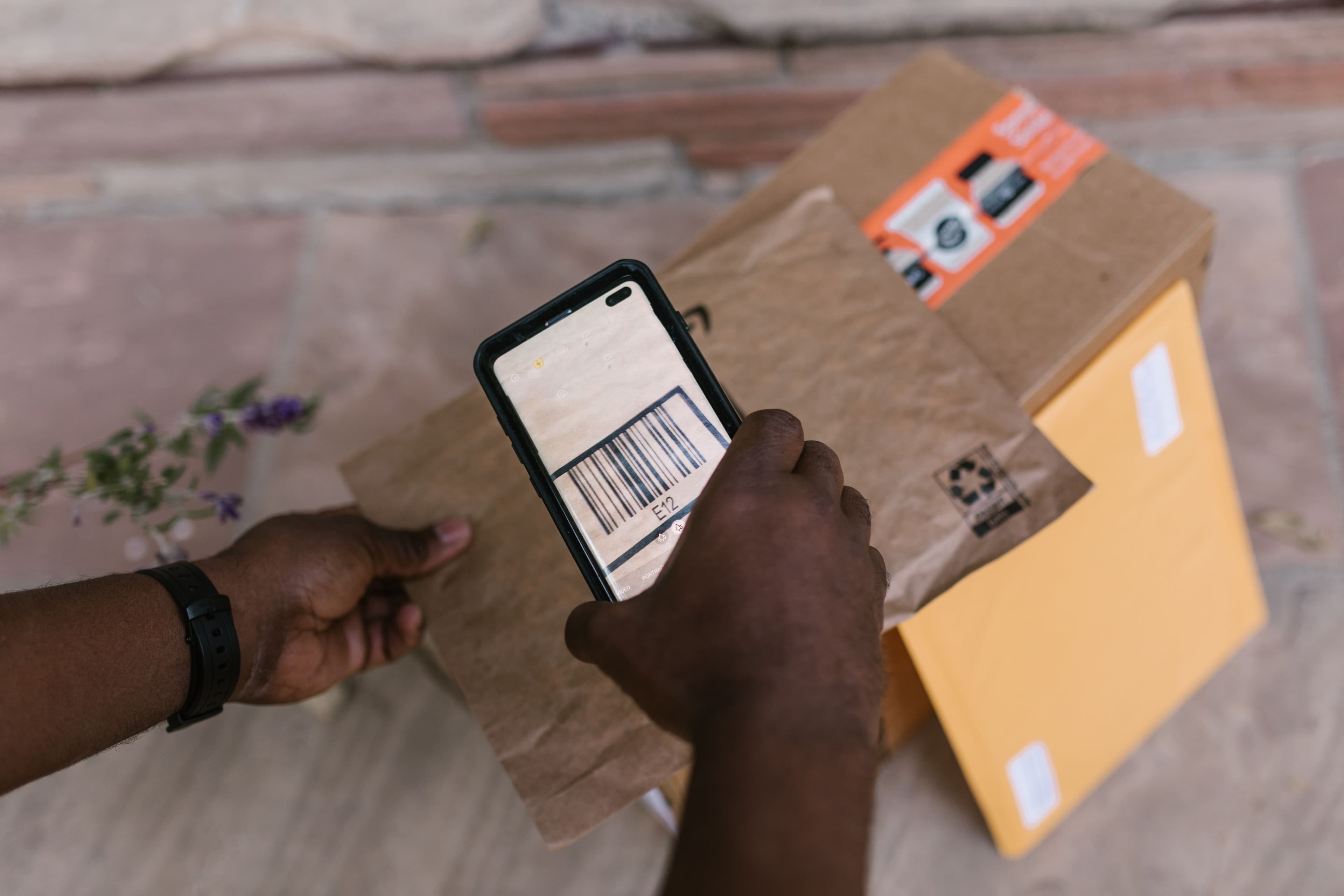
Every ecommerce order has a journey. A customer places an order, your team picks and packs it, a carrier is chosen, a label is printed and the package heads out the door.
Shipping automation connects those steps. Instead of re-entering addresses and package details in a separate tool, the information your team already captured while packing becomes the shipping instructions and carrier-ready label.
For businesses on Cin7 Core, that means one connected path from order received to shipment dispatched. This guide covers how it works, which shipping services connect to Cin7 Core, and how to plan your setup.
What Is Shipping Automation?
Shipping automation links your order and fulfillment data with a shipping service, so the details a shipment needs flow through each step on their own. A typical workflow looks like this:
Order received → Order picked and packed → Package details captured → Carrier selected → Shipping label generated → Tracking number recorded → Order shipped
The idea is simple: details entered earlier in fulfillment are reused at the shipping stage. For brands shipping hundreds or thousands of orders, that connection makes a real difference to the day.
How Shipping Labels Work in Cin7 Core
In Cin7 Core, label printing sits inside the sales workflow, across the Pack and Ship stages:
- Pack: your team records shipping instructions and package details, including the boxes used and their weight and dimensions.
- Ship: they click Copy from Pack to bring those details across and select the carrier.
- Generate Shipping Label: Cin7 Core sends the package details to your connected shipping service, which creates the label.
- Tracking returns: the carrier details and tracking number are added to the Ship tab automatically, and the label is ready to print from the shipment list.
Your team stays in Cin7 Core the whole time, and the order record holds everything from products to tracking.
What You Can Automate
The scope of order fulfillment automation depends on your order volume, carriers and shipping service. A well-planned setup connects:
- Order information: addresses, products and quantities flow from the order into fulfillment.
- Package information: your team records boxes, weight and dimensions once, at packing.
- Carrier selection: shipping rules in your shipping service can route each order to the right carrier and method.
- Label generation: the shipping service creates the label as soon as the package details are ready.
- Tracking updates: the carrier and tracking number come back into Cin7 Core, linked to the order.
Choosing a Shipping Service for Cin7 Core
Cin7 Core prints labels through four shipping services. Each one is good shipping label software in its own right; the best fit depends on where you ship and how you pack. Labels come from whichever service you set as your default.
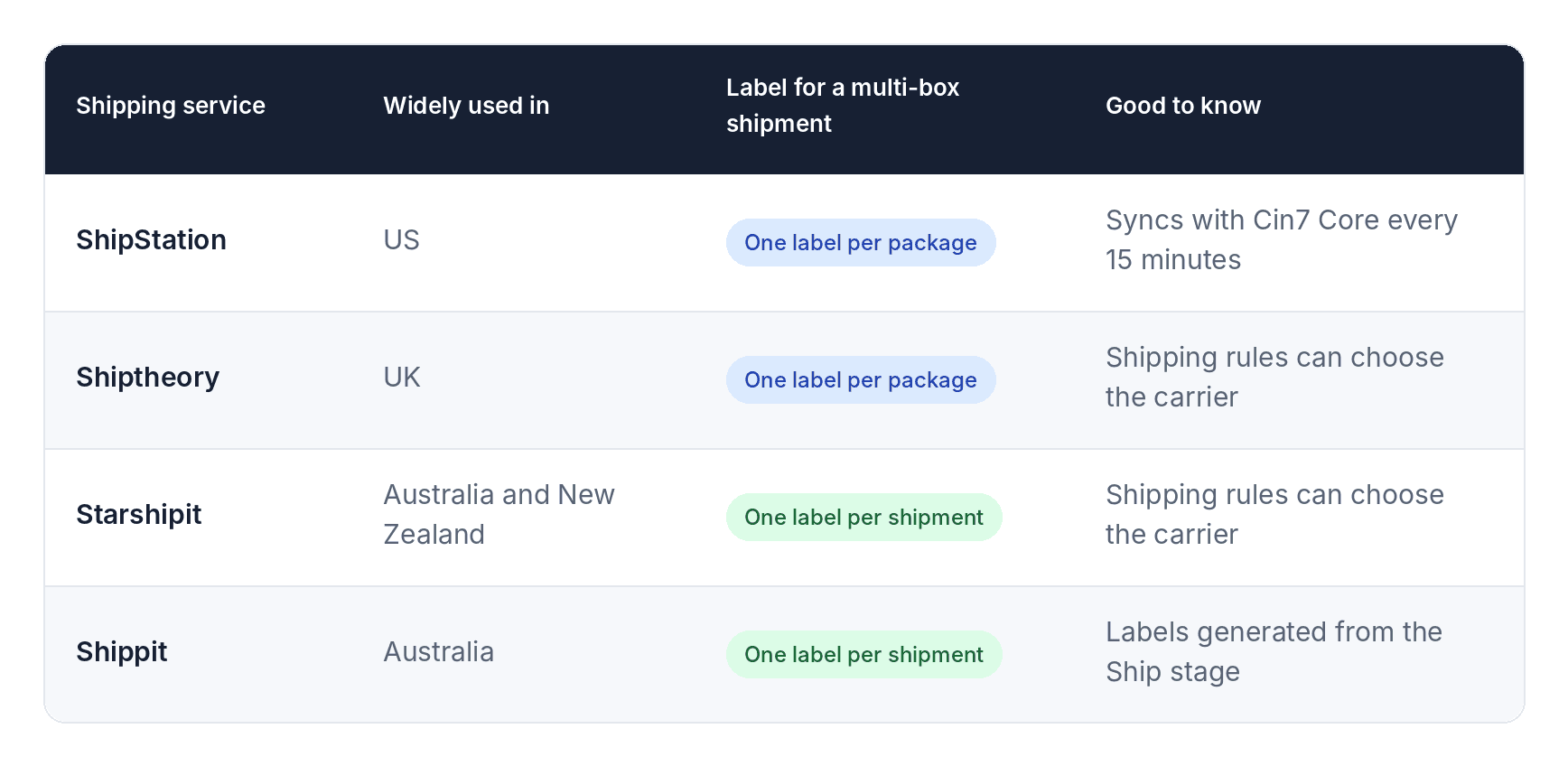
More than the app itself, what matters is fitting the connection to your order flow, packing process, carriers and warehouse setup. That's how shipping automation software pays off in day-to-day fulfillment.
Ecommerce Shipping Automation Across Channels
Ecommerce shipping automation matters most when orders arrive from several places, such as Shopify, Amazon, wholesale customers and other marketplaces. Each order still needs to be picked, packed and handed to a carrier.
Cin7 Core acts as the layer that connects all of those orders with inventory and fulfillment. Your shipping process is built around the order itself, so every channel follows the same steps to the carrier.
When Should You Automate Shipping Labels?
The right time depends less on a set order count and more on how your fulfillment runs. Automation adds the most value when you are:
- Shipping a growing number of ecommerce orders
- Shipping from more than one location
- Working with several carriers
- Selling on several channels
- Using different shipping rules for different orders
- Working with a 3PL or fulfillment partner
- Expanding into new markets
Map Your Workflow Before You Automate
A clear process makes the technology work harder for you. Before you set up ecommerce fulfillment automation, map how an order moves through your business:
- Order source: where does each order come from?
- Fulfillment: where is it allocated, picked, packed and shipped?
- Shipping: which carriers do you use, how are methods assigned, and what does each label need?
- Tracking: where should the tracking number live, which system updates the order status, and how does the customer hear about it?
The answers become the blueprint for your shipping integration.
What a Connected Shipping Workflow Looks Like
End to end, a connected workflow runs in eight steps:
- The customer places an order on any connected channel.
- The order reaches Cin7 Core with products, quantities and delivery details.
- Stock is allocated based on your inventory and warehouse setup.
- The order is picked and packed, with weight and dimensions recorded.
- Shipping details go to your shipping service.
- The label is generated, ready for the carrier.
- Tracking returns to the order in Cin7 Core.
- The order is dispatched once the label is printed and applied.
Orders arrive. Stock is allocated. Packages are packed. Labels are generated. Tracking is recorded. Shipments move.
Automate Your Shipping with SymConverge
Shipping works best when it's planned into your Cin7 Core setup from the start. SymConverge helps businesses:
- Map the order journey from sales channel to dispatch
- Choose and connect the right shipping service for your regions and carriers
- Set up packing steps, boxes and shipping rules in Cin7 Core
- Connect 3PLs and warehouses so every shipment flows through the same process
- Test real orders end to end before go-live
Ready to automate your shipping labels? Book a consultation call with us and we'll map your shipping workflow together.
Frequently Asked Questions
Related reading
B2B Portal Setup for Wholesale Customers with Cin7 Core
How to set up Cin7 Core’s B2B portal with price tiers, stock visibility, online ordering and payments for your wholesale customers.
Piyush Chaudhary·3 November 2026·5 min read
Custom Order Management System in Cin7: Purchase Orders and Customer Orders Done Right
How to set up purchase order management, sales order management and the workflows that connect them in Cin7 Core.
Piyush Chaudhary·3 November 2026·8 min read

Customize Your Inventory Management and CRM: A Complete Guide
A simple guide to the role a CRM plays in your business, how it works alongside Cin7, and how to customize both around the way your team sells.
Piyush Chaudhary·30 October 2026·5 min read